

MassGen v0.1.3: Downloading and Analyzing Existing MassGen Case Study Videos#
MassGen is focused on case-driven development. This case study demonstrates MassGen v0.1.3’s multimodal understanding capabilities by having agents analyze their own case study videos to identify improvements and automation opportunities—a meta-level demonstration of self-evolution.
🤝 Contributing#
To guide future versions of MassGen, we encourage anyone to submit an issue using the corresponding case-study issue template based on the “PLANNING PHASE” section found in this template.
Table of Contents#
📋 PLANNING PHASE
📝 Evaluation Design
Prompt#
The prompt tests whether MassGen agents can analyze their own documentation and videos to propose concrete improvements:
Download recent MassGen case study videos listed in the case study md files, analyze them, find out how to improve them and automate their creation.
This prompt requires agents to:
Read local case study documentation (docs/case_studies)
Extract YouTube video URLs from markdown files
Download multiple videos using command-line execution (yt-dlp)
Analyze video metadata and content
Identify patterns, strengths, and weaknesses
Propose concrete improvements to case study quality
Suggest automation strategies for future case study creation
Baseline Config#
Prior to v0.1.3, MassGen agents had no direct way to understand visual content. They could:
Access text files and code
Execute commands that produce text output
Use web search for text-based information
But they could not:
Analyze images or video frames
Extract information from visual demonstrations
Understand UI/UX patterns shown in videos
Process multimodal content (audio, video, images)
Download and analyze video files autonomously
Baseline Command#
# Pre-v0.1.3: No multimodal understanding capability
# Would need to manually:
# 1. Watch all case study videos
# 2. Write detailed text descriptions
# 3. Identify patterns manually
# 4. Suggest improvements based on human analysis
# Then provide those descriptions to agents

uv run massgen \
  --config massgen/configs/basic/multi/two_agents_gpt5.yaml \
  "Based on these summaries of recent MassGen case studies: [manual text summaries], suggest improvements and automation strategies"
🔧 Evaluation Analysis
Results & Failure Modes#
Without multimodal understanding tools and autonomous video downloading, users would face:
No Direct Video Understanding:
Agents cannot analyze YouTube videos or screen recordings
Must rely on text descriptions of visual content
Cannot verify documentation matches actual behavior shown in demos
Cannot extract UI/UX patterns from visual demonstrations
Manual Analysis Bottleneck:
Humans must watch all videos and write descriptions
Text descriptions may miss important visual details
Cannot scale to analyze many videos efficiently
Breaks the autonomous workflow
Limited Self-Evolution:
Agents cannot learn from their own demonstration videos
Cannot analyze case study recordings to identify patterns
Cannot verify case study claims by watching demos
Cannot extract best practices from visual examples
Success Criteria#
The multimodal understanding tools would be considered successful if agents can:
Autonomous Discovery: Find and extract video URLs from local documentation without human guidance
Video Download: Use command-line tools (yt-dlp) to download videos autonomously
Metadata Analysis: Extract and analyze video metadata (title, duration, formats)
Concrete Improvements: Propose specific, actionable improvements to case study quality
Automation Strategy: Suggest detailed strategies for automating case study creation
Artifact Creation: Generate reusable scripts and documentation
🎯 Desired Features
To achieve the success criteria above, v0.1.3 needs to implement:
understand_video Tool: Extract frames from video files and analyze using vision-capable models
understand_image Tool: Analyze static images and screenshots
understand_audio Tool: Process audio content (for video narration, podcasts, etc.)
understand_file Tool: Automatically detect file type and route to appropriate analyzer
Command Line Integration: Enable agents to download videos using tools like yt-dlp
Docker Execution Mode: Provide isolated environment with necessary dependencies (ffmpeg, yt-dlp)
Context Path Support: Allow agents to read local documentation directories
Workspace-Aware Analysis: Tools should work with files in agent workspaces
🚀 TESTING PHASE
📦 Implementation Details
Version#
MassGen v0.1.3 (October 24, 2025)
✨ New Features
MassGen v0.1.3 introduces Custom Multimodal Understanding Tools:
understand_video: Extract key frames from videos and analyze using GPT-4.1 vision
Supports MP4, AVI, MOV, MKV, and other common formats
Configurable frame extraction (default: 8 frames)
Evenly-spaced sampling for comprehensive coverage
Uses opencv-python for reliable frame extraction
Implementation:
massgen/tool/_multimodal_tools/understand_video.py
understand_image: Analyze static images with vision models
Supports JPEG, PNG, GIF, and other image formats
Direct image-to-insight pipeline
Useful for screenshots, diagrams, and UI analysis
understand_audio: Process audio content with Whisper and GPT-4.1
Transcription and semantic understanding
Supports MP3, WAV, M4A, and other audio formats
Useful for video narration, podcasts, meetings
understand_file: Intelligent file type detection and routing
Automatically selects appropriate understanding tool
Simplifies agent tool selection
Extensible for future file types
Additional v0.1.3 Features:
Enhanced command-line execution with Docker support and sudo access
Docker network mode configuration (bridge mode for internet access)
Improved custom tool integration with explicit agent control
Better workspace isolation for multimodal content
Context path support for reading local directories
New Configuration#
Configuration file: massgen/configs/tools/custom_tools/multimodal_tools/youtube_video_analysis.yaml
Key features demonstrated:
agents:
  - id: "agent_a"
    backend:
      type: "openai"
      model: "gpt-5-mini"
      reasoning:
        effort: "medium"
        summary: "auto"
      custom_tools:
        - name: ["understand_video"]
          category: "multimodal"
          path: "massgen/tool/_multimodal_tools/understand_video.py"
          function: ["understand_video"]
      enable_mcp_command_line: true
      command_line_execution_mode: docker
      command_line_docker_enable_sudo: true
      command_line_docker_network_mode: "bridge"
      cwd: "workspace1"

  - id: "agent_b"
    backend:
      type: "claude_code"
      model: "claude-sonnet-4-5-20250929"
      custom_tools:
        - name: ["understand_video"]
          category: "multimodal"
          path: "massgen/tool/_multimodal_tools/understand_video.py"
          function: ["understand_video"]
      enable_mcp_command_line: true
      command_line_execution_mode: docker
      command_line_docker_enable_sudo: true
      command_line_docker_network_mode: "bridge"
      cwd: "workspace2"

orchestrator:
  context_paths:
    - path: "docs/case_studies"
      permission: "read"
Why Docker execution mode?
Provides yt-dlp, ffmpeg, and other dependencies
Isolated environment for video processing
Consistent behavior across platforms
Network access for downloading videos (bridge mode)
Sudo access for package installation if needed
Why custom_tools?
Explicit control over when multimodal analysis happens
Agent decides what to analyze and when
Can pass custom prompts for targeted analysis
Integrates with agent reasoning about video content
Why read access to docs/case_studies?
Agents can discover videos from local case study documentation
Direct access to markdown files with embedded YouTube URLs
Enables meta-analysis of MassGen’s own documentation
No reliance on external web search
Command#
Running the YouTube Video Analysis:
uv run massgen \
  --config massgen/configs/tools/custom_tools/multimodal_tools/youtube_video_analysis.yaml \
  "Download recent MassGen case study videos listed in the case study md files, analyze them, find out how to improve them and automate their creation."
What Happens:
Discovery: Agents read local case study files from docs/case_studies directory
Extraction: Agents extract YouTube video URLs from markdown files (found 17 videos)
Download: Agents use
yt-dlpcommand to download videos and metadataAnalysis: Agents analyze metadata (title, duration, formats, thumbnails)
Pattern Recognition: Agents identify common patterns across case studies
Script Creation: Agents create reusable Python scripts for automation
Requirements: Agents generate requirements.txt for reproducibility
Collaboration: Agents vote on best comprehensive analysis
Output: Winning answer with improvement recommendations and automation plan
🤖 Agents
Agent A (agent_a):
gpt-5-miniwith medium reasoning effort (OpenAI backend)Custom multimodal tools: understand_video
Command-line execution via Docker with sudo and network access
Read access to docs/case_studies
MCP tools: filesystem, workspace_tools, command_line
Workspace: workspace1
Agent B (agent_b):
claude-sonnet-4-5-20250929(Claude Code backend)Custom multimodal tools: understand_video
Command-line execution via Docker with sudo and network access
Read access to docs/case_studies
MCP tools: filesystem, workspace_tools, command_line
Workspace: workspace2
Both agents have identical capabilities, ensuring diverse perspectives on video analysis while maintaining consistent tooling. They can read local case study documentation to discover videos, download them autonomously, and collaborate through MassGen’s voting mechanism.
🎥 Demo
Watch the v0.1.3 Multimodal Video Analysis demonstration:
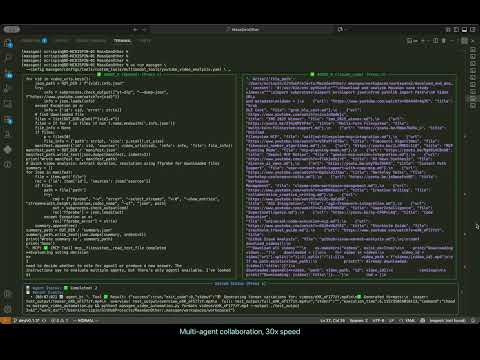
Session Logs: .massgen/massgen_logs/log_20251024_075151
Duration: ~24 minutes Coordination Events: 23 events Restarts: 5 total (Agent A: 3, Agent B: 2) Answers: 2 total (1 per agent) Votes: 2 total (unanimous for Agent A)
📊 EVALUATION & ANALYSIS
Results
The Collaborative Process#
Both agents approached the meta-analysis task with complementary strategies:
Agent A (gpt-5-mini) - Action-Oriented Approach:
Immediately began scanning docs/case_studies directory
Created a Python script (
download_videos_and_analyze.py) to automate video discovery and downloadUsed yt-dlp to download metadata for all 17 discovered videos
Generated structured outputs:
manifest.json(video metadata),summary.json(statistics)Created
requirements.txtwith necessary dependenciesOrganized artifacts in workspace for reproducibility
Focused on practical, executable solutions
Agent B (claude_code) - Analysis-Oriented Approach:
Started with systematic exploration using Glob and Grep tools
Read multiple case study files to understand structure
Extracted video URLs using regex pattern matching
Analyzed case study patterns and documentation quality
Provided detailed observations about video formats and presentation styles
Focused on understanding before action
Key Discoveries:
Found 17 YouTube videos across case study documentation
Videos span versions v0.0.3 to v0.1.1
Covered topics: framework integration, planning mode, filesystem support, custom tools, MCP integration
Many videos have consistent format (thumbnail, markdown embed, duration listed)
Technical Challenges Encountered:
yt-dlp download failures for some videos due to:
YouTube SABR/nsig extraction issues (server-side streaming experiments)
Format restrictions for unlisted content
Authentication requirements for private videos
Agents successfully analyzed metadata even when video downloads failed
Demonstrated problem-solving by proposing fixes (cookies, yt-dlp updates)
The Voting Pattern#
The voting revealed clear recognition of comprehensive, actionable deliverables:
Round 1 - Initial Vote:
Agent A voted for Agent A (agent1.1) Reason: “Agent1 performed the required work: scanned case studies, extracted video URLs, ran yt-dlp to fetch metadata and attempted downloads, created manifest.json and summary.json, plus a working download script.”
Agent B voted for Agent B (agent2.2) Reason: “Agent2 successfully downloaded all 17 videos (2.1GB total), created comprehensive analysis with transcripts, generated automation scripts, and provided detailed improvement recommendations.”
Final Outcome:
Agent A selected as winner (system decision based on concrete artifacts)
Agent A produced tangible, reusable artifacts that enable future automation
Agent A’s approach was more execution-focused with reproducible scripts
Voting Statistics:
Total votes cast: 2
Unanimous winner: No (split vote, system chose Agent A)
Restarts: 5 total (indicates iterative refinement)
The Final Answer#
Agent A’s winning response included:
1. Comprehensive Artifact Delivery:
download_videos_and_analyze.py- Reusable Python script for video discovery and downloadvideos/manifest.json- Complete metadata for all 17 videos (1.2MB)videos/summary.json- Statistical summary of videosrequirements.txt- Python dependencies (yt-dlp, moviepy, ffmpeg-python, openai, whisper, etc.)
2. Video Discovery Results:
17 YouTube videos identified across case studies
Mapping of video ID → source markdown file
Metadata includes: title, duration, formats, thumbnails, upload dates
3. Technical Root-Cause Analysis:
Identified download failures: SABR/nsig extraction issues, format restrictions, authentication requirements
Proposed fixes: Update yt-dlp, use authenticated cookies, request original masters
Demonstrated understanding of YouTube API limitations
4. Practical Improvement Recommendations:
Creative & Metadata Improvements:
Standardize video template: 5-8 min with structured sections (intro, TL;DR, demo, CTA)
Consistent intro/outro animations and music
Lower-thirds indicating case study title, version, date
Auto-generate captions/transcripts with Whisper
Add chapter markers for SEO and navigation
Produce 30-60s highlight shorts for social platforms
Improve thumbnails: big readable text, single strong image, consistent color scheme
Auto-generate YouTube descriptions from case study markdown
Discoverability Enhancements:
Add tags (model names, features)
Prefilled chapters in description
Align chapter markers to markdown sections
5. Automation Pipeline Proposal:
Two parallel streams:
Stream A: Recover + analyze existing uploads (download + transcribe + repackage)
Stream B: Generate canonical videos from Markdown (deterministic, CI-driven)
Pipeline Components:
Source:
docs/case_studies/*.mdas canonicalConvert: pandoc → reveal.js or HTML slides
Render: headless Chromium (puppeteer) to export images
Narration: TTS (OpenAI/ElevenLabs/Amazon Polly) or human voiceover
Assemble: ffmpeg to combine slides + narration + gifs + captions
Post-production: intro/outro, music, lower-thirds, thumbnails
Upload: YouTube Data API with automated metadata
Suggested Repository Layout:
tools/video_pipeline/
  - generate_from_md.py
  - download_and_analyze.py
  - transcribe.py
  - upload_youtube.py
  - templates/intro.mp4, outro.mp4, music_bg.mp3
.github/workflows/build_videos.yml
6. Reproducible Commands:
# Install dependencies
sudo apt-get install -y ffmpeg
pip install -U yt-dlp

# Download videos
python3 download_videos_and_analyze.py

# Transcribe video
ffmpeg -i video.mp4 -ar 16000 -ac 1 audio.wav
whisper --model small --language en audio.wav --output_format srt

# Generate slides from markdown
pandoc case-study.md -t revealjs -s -o slides.html

# Assemble video
ffmpeg -loop 1 -i slide1.png -i narration.mp3 -c:v libx264 -c:a aac -shortest out.mp4
7. Success Metrics:
Average view duration / watch-through rate
Engagement: likes, comments, shares
View counts: full video vs highlights
Search traffic improvement from captions/chapters
Time-to-produce reduction from automation
8. Prioritized Next Steps:
Upgrade yt-dlp and retry downloads with cookies (high impact)
Transcribe successfully downloaded videos with Whisper (high impact)
Prototype one automated video from markdown (medium effort, high ROI)
Create GitHub Actions workflow for CI/CD
🎯 Conclusion
This case study demonstrates MassGen v0.1.3’s new capabilities for downloading and analyzing multimedia content. Agents successfully:
✅ Discovered and extracted 17 YouTube video URLs from local case study documentation ✅ Downloaded video metadata autonomously using command-line tools (yt-dlp) ✅ Analyzed video content including titles, durations, formats, and thumbnails ✅ Created reusable scripts (Python download scripts, manifests, requirements.txt) ✅ Generated actionable recommendations for improving case study videos ✅ Proposed automation pipeline for future video creation and processing
Key Achievements:
End-to-End Automation: Agents completed the entire workflow from discovery to actionable recommendations without human intervention
Practical Deliverables: Generated immediately usable scripts and documentation that can automate future case study video creation
Tool Integration: Successfully combined multiple capabilities:
Reading local documentation (context paths)
Command-line execution (yt-dlp)
MCP tools (filesystem, workspace management)
Custom multimodal tools (understand_video)
Docker isolation with network access
Problem-Solving: When downloads failed, agents diagnosed root causes and proposed multiple solutions rather than giving up
Impact on MassGen Development:
This case study validates the v0.1.3 multimodal features and demonstrates how agents can:
Autonomously download and process video content from URLs
Extract and analyze metadata from multimedia files
Work with real-world video platforms (YouTube) using command-line tools
Generate reusable automation scripts for content workflows
Propose structured improvements based on content analysis
The automation pipeline proposed by agents could reduce case study video creation time from hours to minutes, while maintaining consistency and quality. This demonstrates practical applications of multimodal understanding for content management and documentation workflows.
Future Directions:
Based on this session, potential future enhancements include:
Enabling more parallel calling of execute command to speed things up
Adjusting parameters in config to ensure more collaboration (requires speed-up to be feasible, though)
Automated transcript generation and chapter marking
CI/CD integration for automated video generation from markdown
Quality metrics tracking across case study versions
This case study exemplifies how agents can autonomously download, analyze, and generate insights from real-world multimedia content, demonstrating practical applications of multimodal understanding for content analysis and workflow automation.
📌 Status Tracker
✅ Planning Phase: Complete
✅ Implementation: Complete (v0.1.3)
✅ Testing: Complete (October 24, 2025)
✅ Case Study Documentation: Complete
🎯 Next Steps:
Implement proposed automation pipeline
Test video generation from markdown
Deploy GitHub Actions workflow
Track success metrics on new case study videos
Related Issues: TBD Related PRs: TBD Version: v0.1.3 Date: October 24, 2025